Problem
macOS Mojave and earlier store sticky notes in a single file, ~/Library/StickiesDatabase. Catalina and later use ~/Library/Containers/com.apple.Stickies/ (Finder displays it as ~/Library/Containers/Stickies/), with RTFD files in ./Data/Library/Stickies/ and note color and window positioning data stored in ./Data/Library/Preferences/com.apple.Stickies.plist.
For many macOS upgrade scenarios that straddle this divide (e.g., High Sierra to Sequoia), the database migration silently fails. Even in the best case (as when upgrading from Mojave to Catalina), colors revert to yellow and window positioning is lost.
Solution
If preserving sticky note colors isn't necessary, simply restore ~/Library/StickiesDatabase to a clean macOS 10.15, 11, 12, or 13 instance; Stickies will populate com.apple.Stickies from it on first launch (fails under macOS 14, 15, & 26).
In Mojave, restore a backup of ~/Library/StickiesDatabase.
Export to Notes.app (File → Export All to Notes…) for posterity. Colors are preserved as folder names. The Notes database (~/Library/Group Containers/group.com.apple.notes) can be imported as-is into modern macOS versions.
Upgrade Mojave to Catalina; com.apple.Stickies can now be imported into later versions including Tahoe. Colors must be manually corrected (or perhaps scripted to extract values from StickiesDatabase and insert into com.apple.Stickies.plist, an exercise left for the reader). Windows can be un-stacked via AppleScript; this example (tested in Catalina and Tahoe) uses a 5-column layout:
tell application "Stickies" to activate

tell application "System Events"
    tell process "Stickies"
        set winList to windows
        set winCount to count of winList

        set numColumns to 5
        set noteWidth to 300
        set noteHeight to 200
        set xGap to 20
        set yGap to 20
        set baseX to 50
        set baseY to 50

        repeat with i from 1 to winCount
            set colIndex to ((i - 1) mod numColumns)
            set rowIndex to ((i - 1) div numColumns)
            set theWin to item i of winList
            set position of theWin to {baseX + colIndex * (noteWidth + xGap), baseY + rowIndex * (noteHeight + yGap)}
            set size of theWin to {noteWidth, noteHeight}
        end repeat
    end tell
end tell
Related: Stickies extraction scripts
Stickies.app Exporter: "Run this script to export your Stickies in RTF format."
pystickies: "Converts the database from the Mac's 'Stickies' program into RTF files, one per sticky. This is platform-independent, it doesn't use Cocoa to do the conversion, but rather uses heuristics to find the RTF data within the Stickies database."
pytypedstream: "A pure Python, cross-platform library/tool for reading Mac OS X and NeXTSTEP typedstream files. ... the typedstream data format is still used by some macOS components and applications, such as the Stickies and Grapher applications."
StickiesDbConverter: "Brief python script for exporting a StickiesDatabase file on macOS to a plain text file."
macOS_stickies.py: "parse osx sticky databases."
❧ 2026-04-04
Since switching to Thunderbird's new Microsoft Exchange support announced on November 18, 2025, 24 messages moved from Microsoft's server to local storage have ended up completely blank, much like the macOS Mail bug extensively covered by Michael Tsai. All 24 show a file size of 127 bytes, containing only:
X-Mozilla-Status2: 00000000
X-Mozilla-Keys:
Granted, this is with Maildir enabled and hundreds of thousands of messages across dozens of folders, but the bug had never appeared when the account was configured as IMAP in Thunderbird, so have switched back for now. (The new account had to be set up manually, then switched to OAuth for both IMAP and SMTP, as it wasn't offered otherwise (setup in a fresh Thunderbird profile worked normally). One downside of returning to IMAP: syncing changes to macOS Mail once again requires quitting Thunderbird.)
Update
While penning this post, happened upon an open bug from 17 years ago:
Thunderbird "loses"/corrupts email messages when downloading from the mail server to a local folder
❧ 2026-04-02
or, Shipping bugs at scale with AI:
2025
Apr:
May:
Jun:
Jul:
Aug:
Sep:
Oct:
Nov:
Dec:
2026
Jan:
Feb:
Mar:
❧ 2026-03-22
IODD's virtual CD-ROMs like the ST300 and MINI often display "defrag" when attempting to mount newly-imported ISO images, as detailed by ./techtipsy.
The IODD Guide explains that "The ISO/VHD file is too fragmented to load (Max 24 fragments for ISO; 0 for VHD)." and suggests "Use defragmentation utilities like MyDefrag (dead link) or Defraggler."
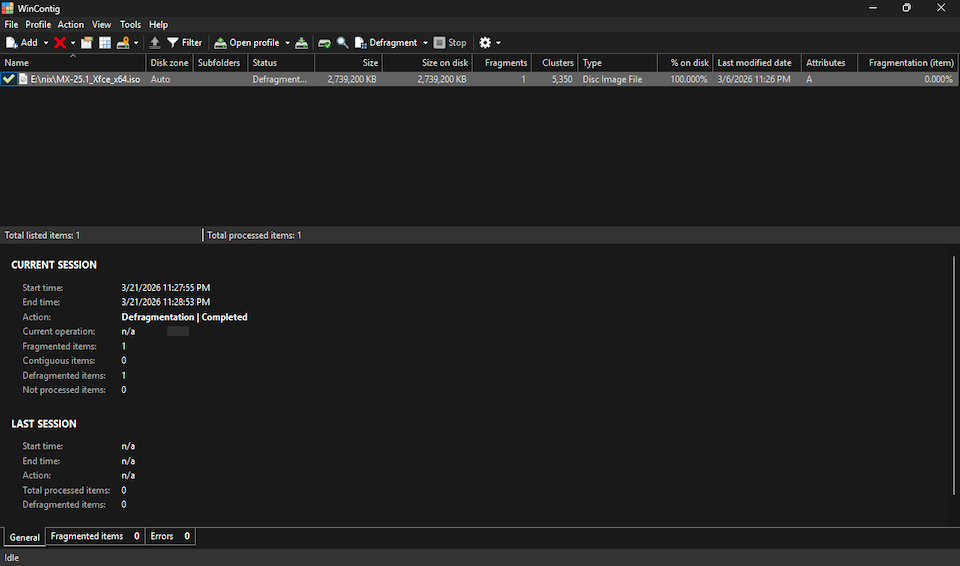
Another option is WinContig (H/T), a green, portable app that merited a rare addition to the System page:
🌱 WinContig v5.0.3.3 [961K] + "Quickly defragment individual files without the need to defragment the entire disk." Supports Windows Vista through 11, server versions from 2008 to 2019, and FAT, FAT32, exFAT, NTFS, and ReFS filesystems. 📺
Updates
Initially skipped SysInternals' Contig, believing it only supported NTFS as claimed on Wikipedia ("Supported file systems: NTFS") and even more explicitly on Grokipedia ("It exclusively supports the NTFS file system, leveraging the native Windows NT defragmentation API introduced in NT 4.0, and does not function on FAT, exFAT, or other file systems."). However, version 1.83 successfully defragmented an ISO file on an exFAT-formatted drive.
IODD offers VHD Tool++, a portable app with a number of functions including file defragmenting. However, the current version (0.8.0.1) simply wraps Contig, which is bundled inside. (Curiously, VHD Tool++ is not mentioned on IODD's own error messages page, which instead recommends MyDefrag and Defraggler as noted above.)
❧ 2026-03-22
❧ 2026-03-19
MX Linux, built on Debian Stable and offered in Xfce, KDE, and Fluxbox flavors, booted a 2012 iMac faster than any of the standard distros, with WiFi and sound working out of the box.
OEM installation is as easy as booting from the ISO and running sudo minstall --oem in the terminal (default accounts: demo/demo, root/root).
Related
❧ 2026-03-06
with RetroTick (GH | HN):
"Run classic Windows and DOS executables directly in your browser. No installation required. Just drag, drop, and watch programs come alive in a web page.
"RetroTick is an x86 virtual machine and Windows/DOS API compatibility layer built from scratch in TypeScript. It parses PE (Win32), NE (Win16), and MZ (DOS) binaries, executes x86 machine code instruction by instruction, and reimplements a subset of the Win32, Win16, and DOS API surface, enough to boot several .exe files from the classic Windows era and render their GUIs in the browser."
The demo site offers a host of classics to enjoy:
- Games
- Cards (DLL)
- FreeCell
- SkiFree
- Solitaire
- Minesweeper
- Programs
- Calculator
- Clock
- Command Prompt
- GLX Gears
- MS-DOS QBasic
- Sound Recorder
- Super PI
- Task Manager
- Welcome to Windows 95
- Screen Savers
- 3D Maze
- 3D Pipes
- Bezier
- Flower Box
- Marquee
- Mystify
- Starfield Simulation
Updates
The developer shared on HN: "Hidden feature: right-click any executable and select 'View Resources' to browse its embedded resources like icons, bitmaps, dialogs, and version info. It even supports viewing Delphi forms (though Delphi programs can't actually run yet). Think of it as a browser-based Resource Hacker or eXeScope."
retrowin32 "is a still-early Windows emulator for the web (and other non-Windows platforms). Take a win32 .exe file and run it in a web browser or a Mac. See some demos."
❧ 2026-02-27
Despite billing itself as a "vibrant community", the Apple Support Community (aka Apple Discussions) apparently does not tolerate dissent.
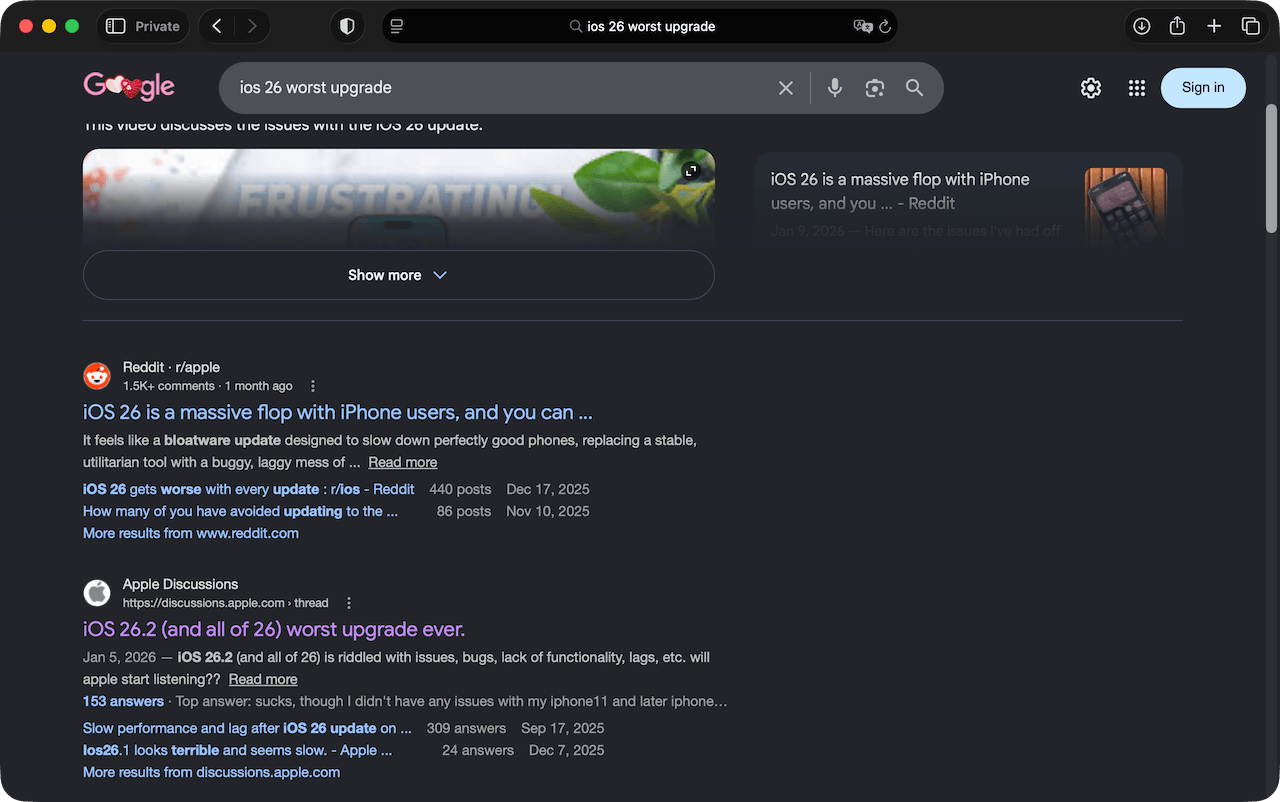
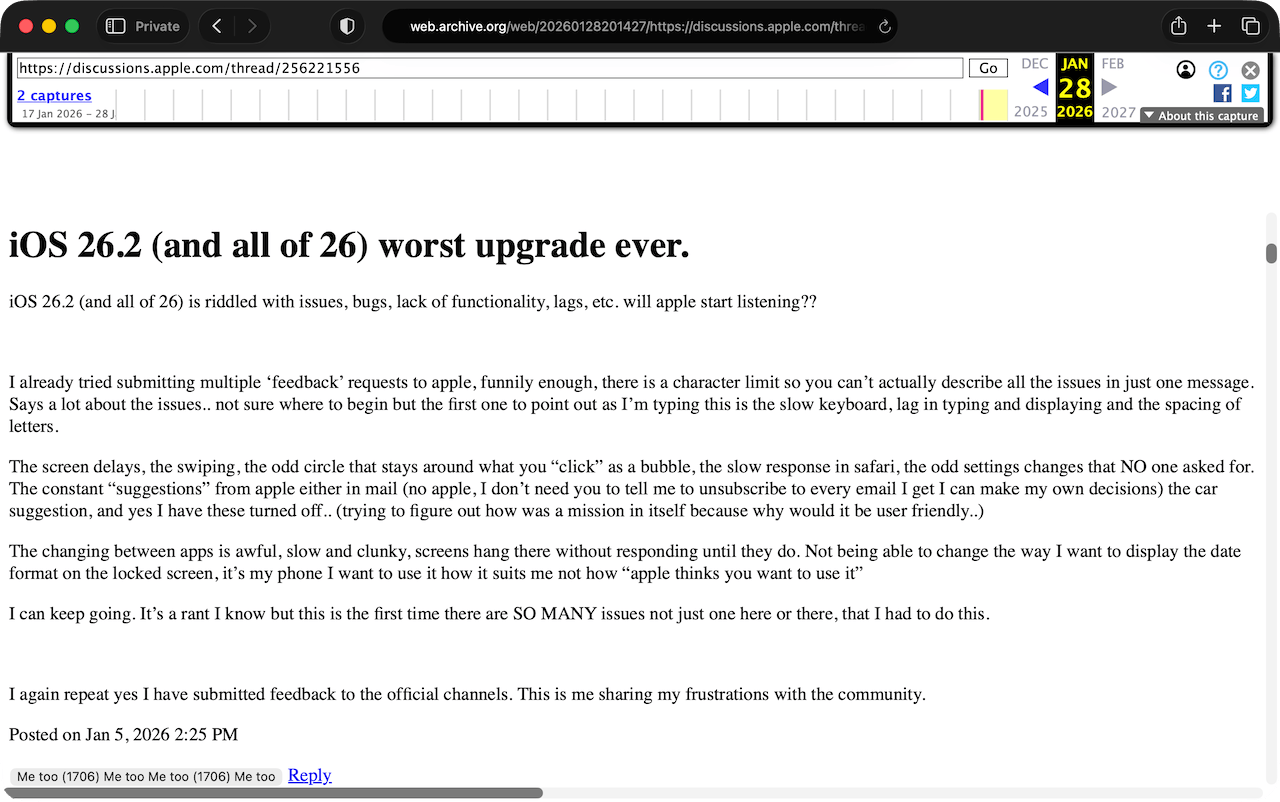
A Google search turned up iOS 26.2 (and all of 26) worst upgrade ever hosted on Apple's discussion forum:
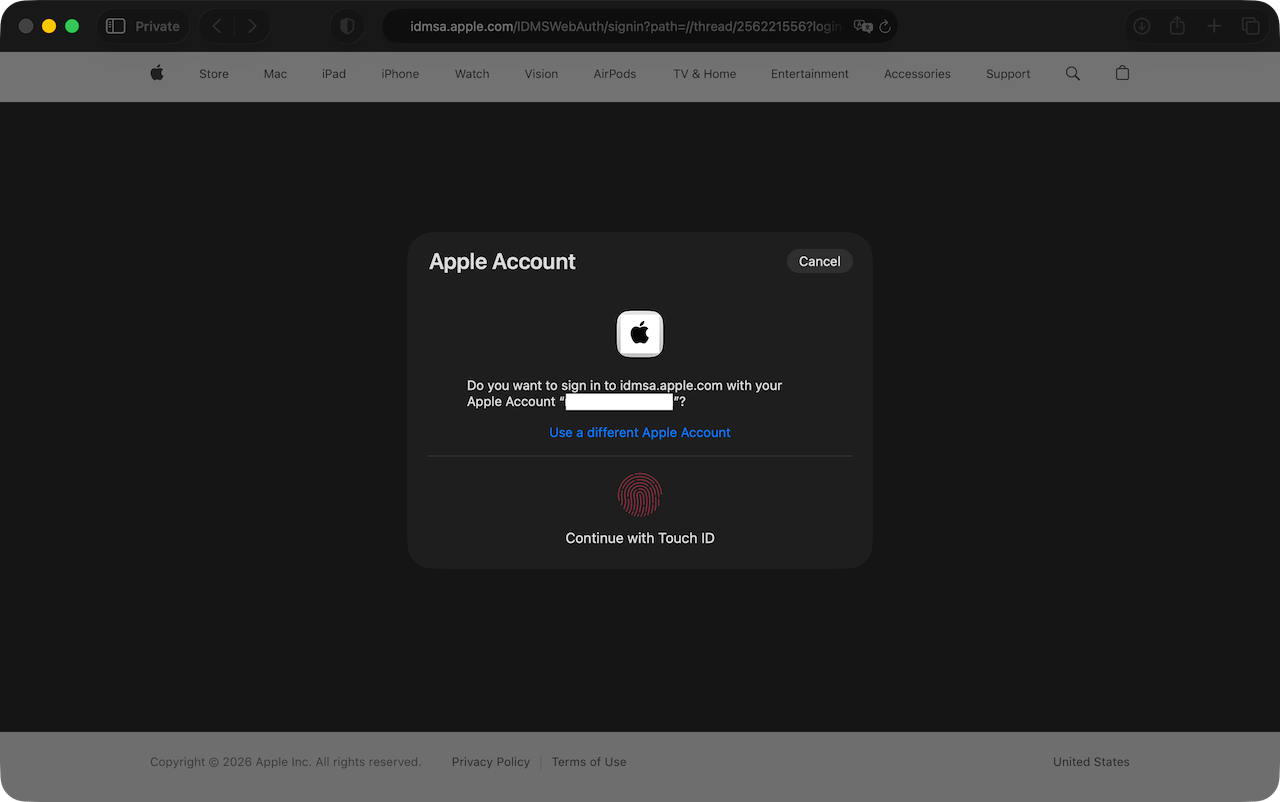
Clicking the link redirected to a login page, which was unusual, but OK:
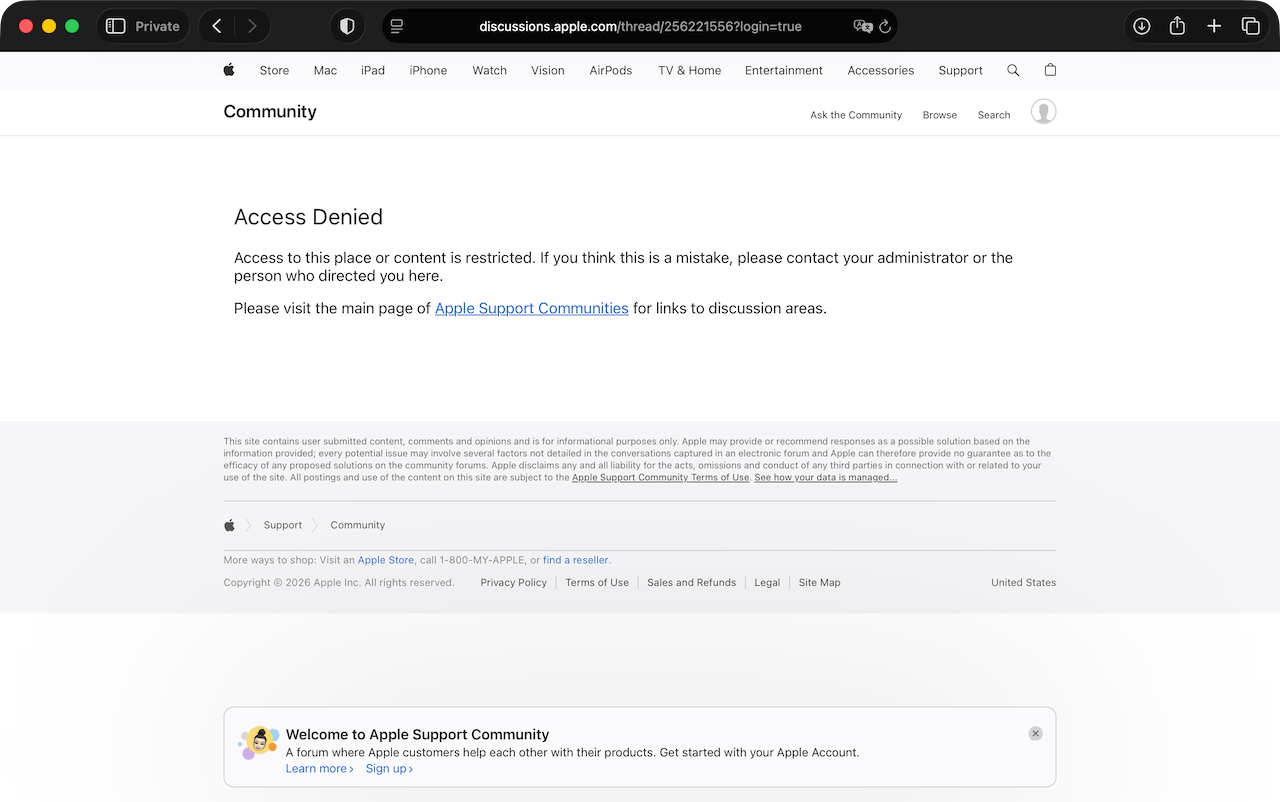
That led to an Access Denied page (despite other discussion pages remaining accessible):
Happily, the Wayback Machine had a copy; it showed 1,706 "Me too" votes just 23 days after the post was made:
Apple isn't having quite as much luck censoring the rest of the web:
❧ 2026-02-14
iOS 26.2 broke MileBug at last; it hadn't been updated in years, the founder having apparently sold to Bending Spoons in 2018. Failing to find a simple mileage tracker in the App Store, I cobbled together a Shortcuts workflow which does the job.
Starting mileage is automatically populated by the previous ending mileage, though it can be quickly adjusted via the dashboard widget when necessary (as when switching vehicles or having driven untracked miles).
1. Setup
Create the Log Database
- Open Notes.
- Create a new note titled
Mileage Log.
- Add this header on the second line:
Date,Vehicle,Start,End,Mileage.
Create the Storage Folder
- Create a new folder in Notes named
Mileage.
Create the Tracker Note
- Inside the
Mileage folder, create a new note titled Milebug.
- Enter your current odometer reading on the second line (immediately under the title).
Configure a Dashboard Widget
- Add a Notes widget to your Home Screen, swiping to select one of the Folder options (as opposed to "Note" or "Quick Note"), then tap Add Widget.
- Tap the widget while it is still jiggling and change the Folder setting from the default
Notes to Mileage.
Configure System Settings
- Navigate to Settings → Apps → Shortcuts → Advanced.
- Enable Allow Deleting Without Confirmation. (Ensures that the shortcut runs silently in the background without prompting you every time it updates the tracker).
2. Shortcuts workflow
Open the Shortcuts app and tap + to create a new shortcut.
2.1. Vehicle Selection
- Add List.
- Rename the default items (
One, Two) to your vehicle names (e.g., FJ40, Fit).
- Add Choose from List.
- Add Set Variable.
- Set Variable Name to
Vehicle.
2.2. Get Start Mileage
- Add Find Notes.
- Add Filter → Name contains
Milebug → Limit to 1 item.
- Add Get Text from Input.
- Should automatically connect to
Note.
- Add Split Text.
- Should auto-fill New Lines.
- Add Get Item from List.
- Change
First Item to Item at Index 2
- Add Set Variable.
- Change
Variable Name to Start
2.3. Get End Mileage
- Add Ask for Input.
- Change
Text to Number.
- Change
Prompt to End Mileage.
- Add Set Variable.
- Change
Variable Name to End
2.4. Calculate Distance
- Add Calculate.
- Change + to -.
- Tap
Number and select Start from the list of options
- Add Set Variable.
- Change
Variable Name to Distance.
2.5. Prepare Log Entry
- Add Date. (Defaults to Current Date)
- Add Text.
- Tap inside the text box
- Tap the following tokens in the popup menu, adding a comma between each one:
Date, Vehicle, Start, End, and Distance.
- Tap the
[Date] token in the text box then set Date Format to Short and Time Format to None.
2.6. Save the Log
- Add Append to Note.
- Tap
Text and select Text token with yellow icon
- Tap
Note and select Mileage Log
2.7. Update the Tracker
- Add Find Notes.
- Tap
Appended Note then Clear Variable
- Tap Add Filter → for Name contains, change
anything to Milebug and limit to 1 item
- Add Delete Notes.
- Add Text.
- Tap inside the text box and enter
Milebug on the first line, press Return, then select the End variable from the popup menu
- Add Create Note.
- Change
Contents to the Text token with yellow icon
- Change
Folder to Mileage
3. Wrap-up
Tap the arrow next to the shortcut name at the top of the screen to access Rename, Choose Icon, and Add to Home Screen options.
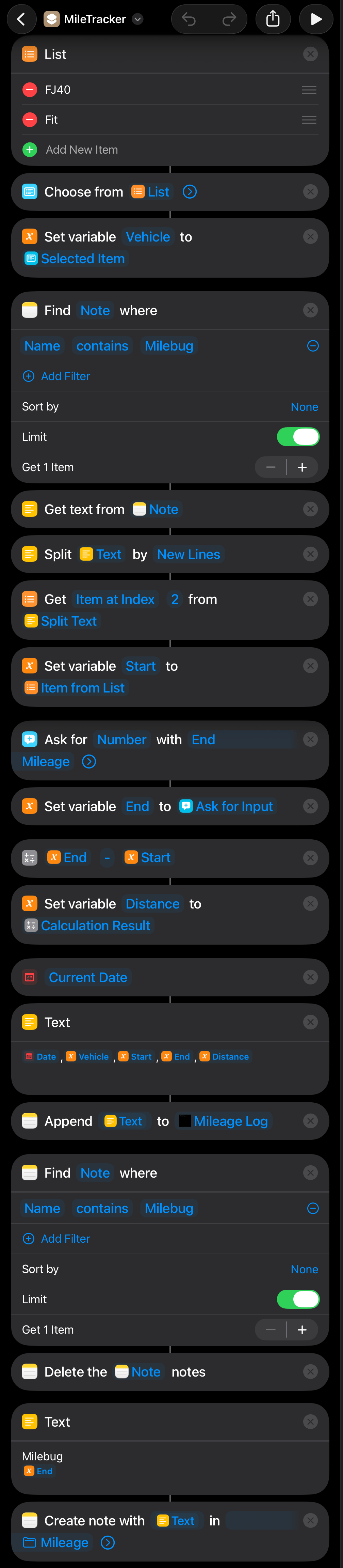
Screenshot of the complete workflow.
To resolve access or permissions issues, tap the ⓘ button on the shortcut and check Privacy settings.
Related
Aidas kindly wrote in to recommend Juan Manuel Merlos' Open GPX Tracker. From the GitHub repo README:
"Open GPX Tracker is a GPS logger for iOS (iPhone, iPad, iPod) with offline map cache support. Track your location, add waypoints and send your logs by email as GPX files.
"This app has no annoying time restrictions, no ads and no in-app-purchases. You can create unlimited GPX traces :).
"If you are goint to track without Internet... don't worry! Before you go offline, browse the area where you'll be tracking and it will be cached and available offline.
"We care about your privacy, all the data recorded using the application is kept in your phone (or in your iCloud), wherever you store it. The app does not share any GPS data with us or any other 3rd pary. For more information see the Privacy Policy."
Shortcuts Toolkit: "Comprehensive toolkit for generating Apple Shortcuts programmatically using reverse-engineered binary plist format."
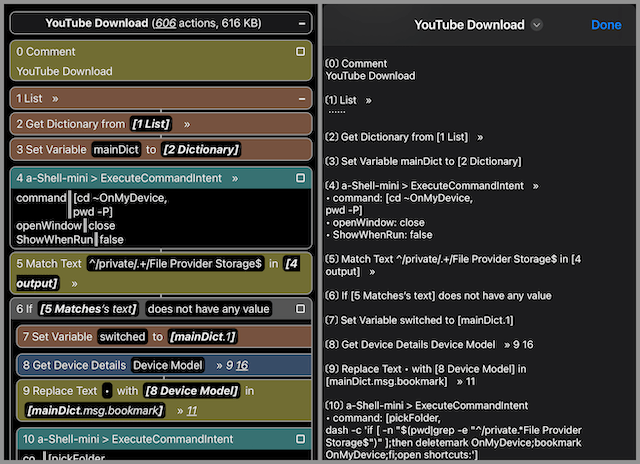
Shortcut Source Tool:
"Copy and paste multiple actions, view/edit/compare/save/import/repair/web-review shortcuts. ... Web Review can also be converted to and viewed/saved as plain text.
 "
"
❧ 2026-01-30
Primarily aimed at local contacts, since cloud-synced contacts can be removed from the device by disabling contact syncing. Back up first; deletions are permanent.
Two-finger drag to multi-select contacts, then long press the selection to open the context menu and tap "Delete Contacts". Tedious for more than a few dozen.
This free (no IAP) app deleted over 43,000 contacts in a minute or two: Delete → View all contacts → More (⋯) → Select all → Delete Selected → Delete contacts
Shortcuts lacks a native "Delete Contact" action, but Scriptable (free; donations accepted via IAP) allows you to interact directly with the iOS Contacts API, e.g.,
Update
See also Delete all iOS contacts using the Contacts.framework.
❧ 2026-01-30